Tutorial
Guide · Creator
Create and publish your Creator profile
From your first click to a public profile brands can find, share and request. Free to join; you publish the profile yourself and KreyatiVox verifies it when you ask.
- 1
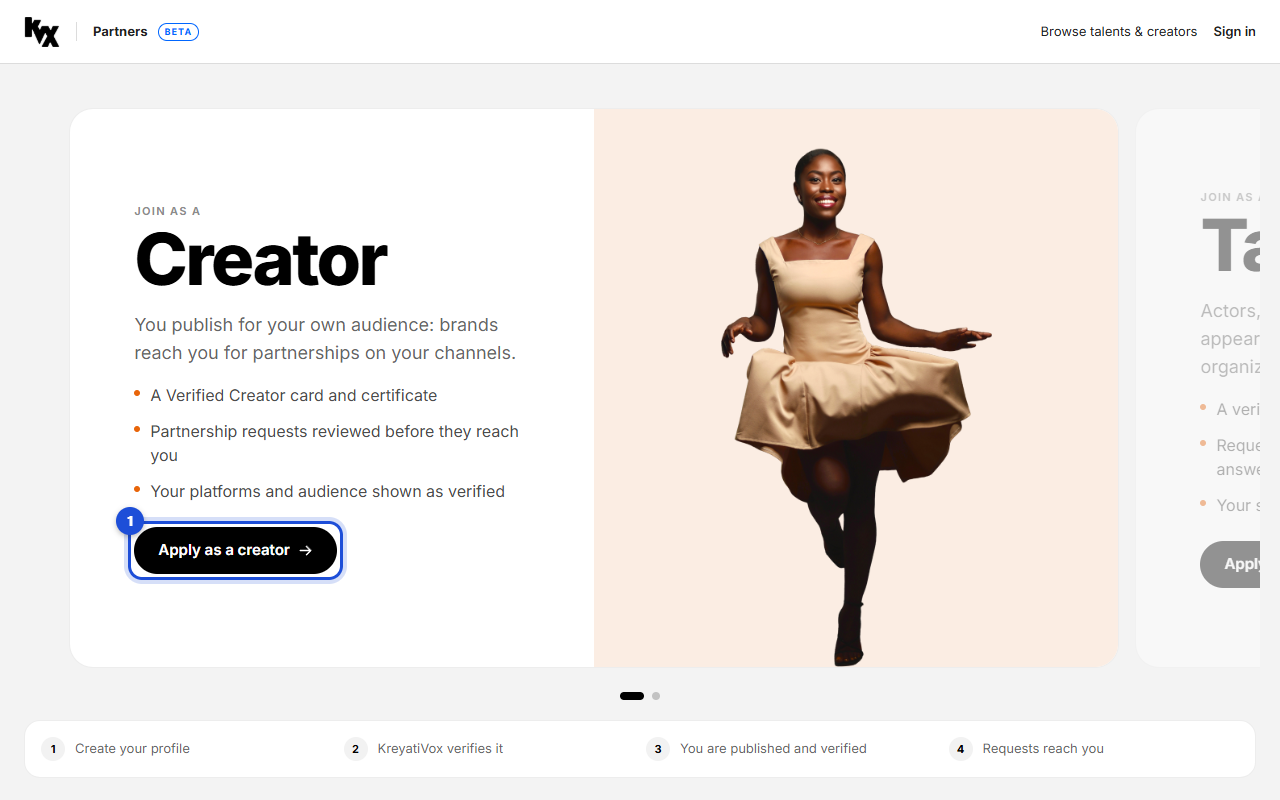
Join on KreyatiVox Partners
Open KreyatiVox Partners and click “Apply as a creator”. Create your free account: you land straight on your profile form.
- 2
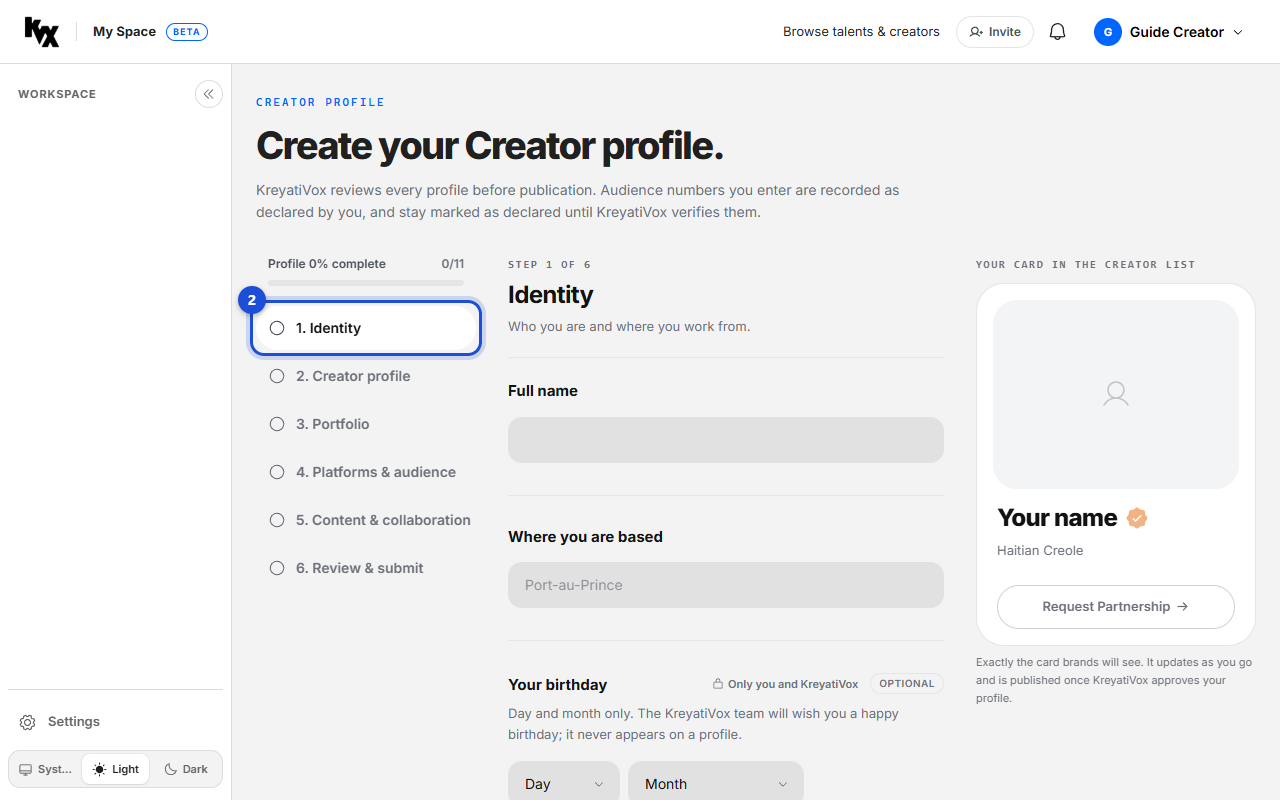
Identity
In the left list, click “1. Identity”. Tell who you are and where you work from, then click “Save and continue”. Your draft is saved as you type.
- 3
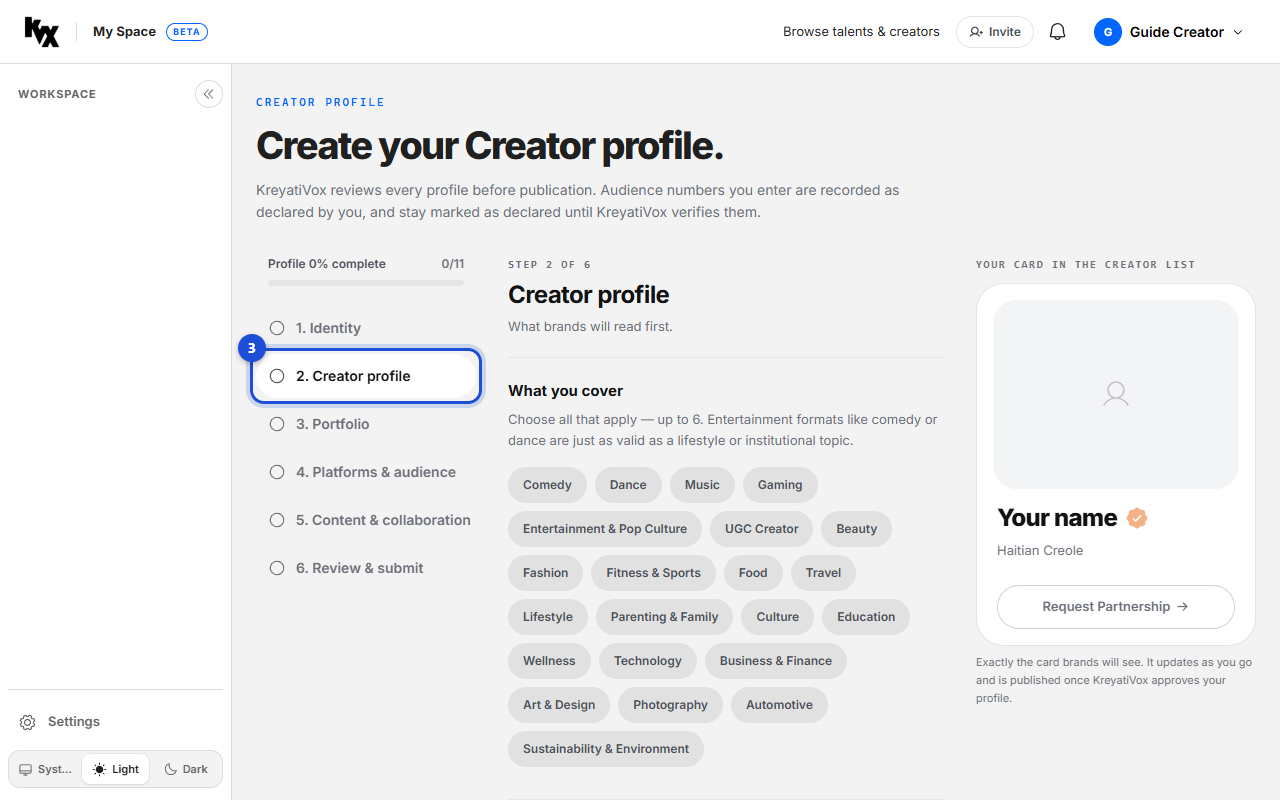
Creator profile
Click “2. Creator profile”. This is what brands read first: how you present yourself and the content you make.
- 4
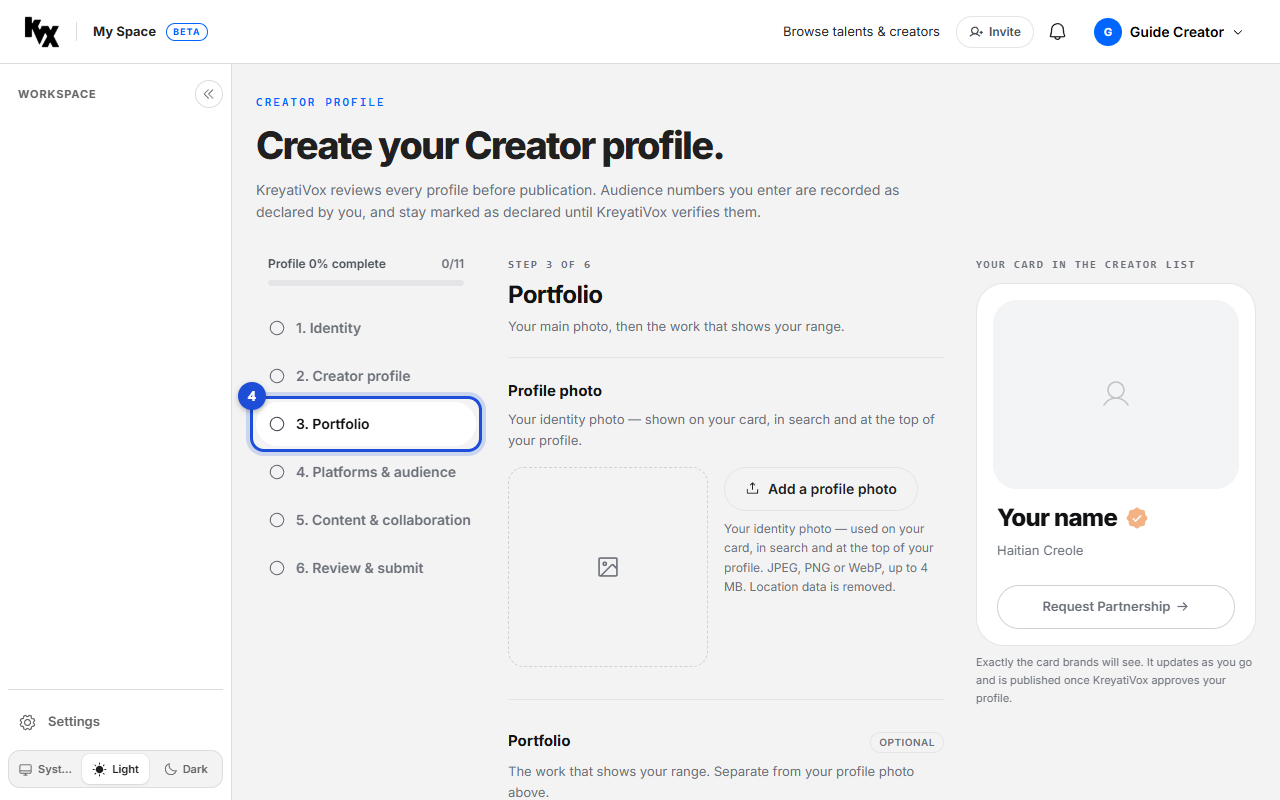
Portfolio
Click “3. Portfolio”. Add your main photo, then the work that shows your range.
- 5
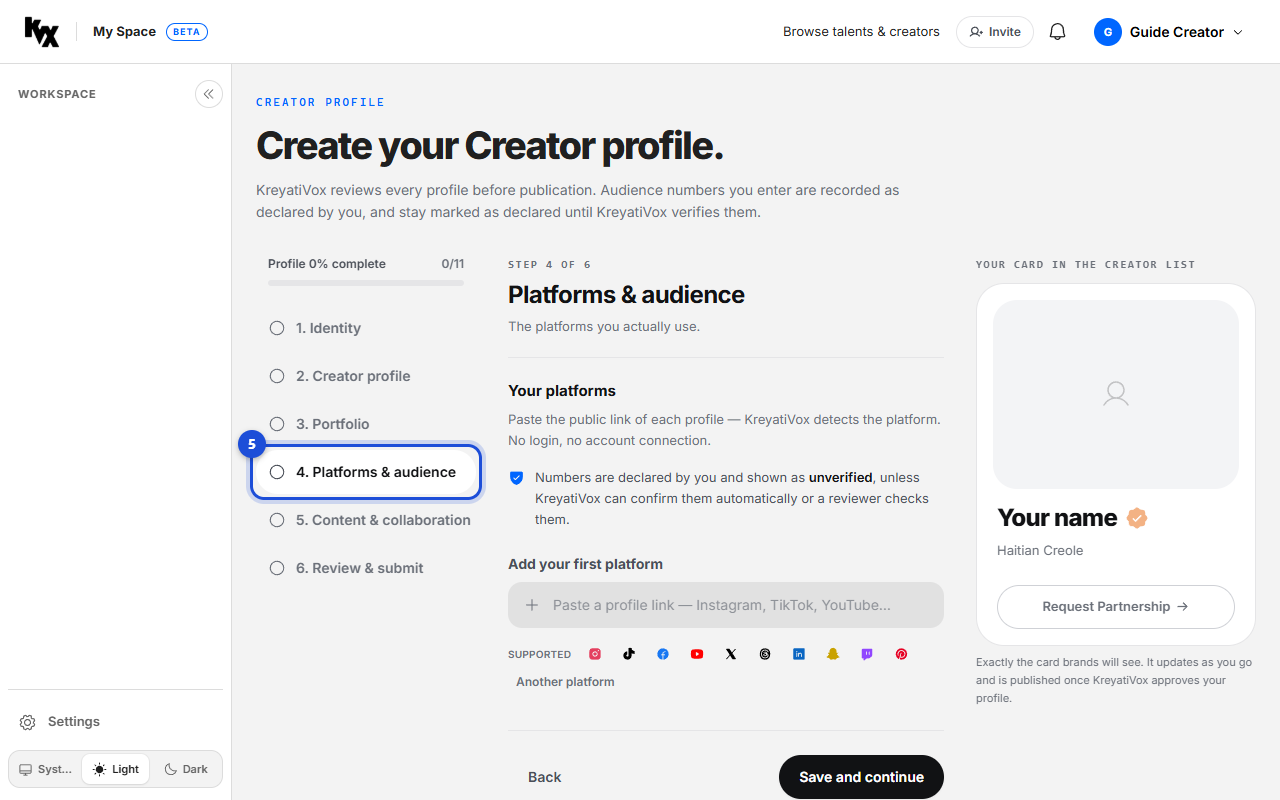
Platforms & audience
Click “4. Platforms & audience”. Add the platforms you really use. Your numbers stay marked as declared until KreyatiVox verifies them.
- 6
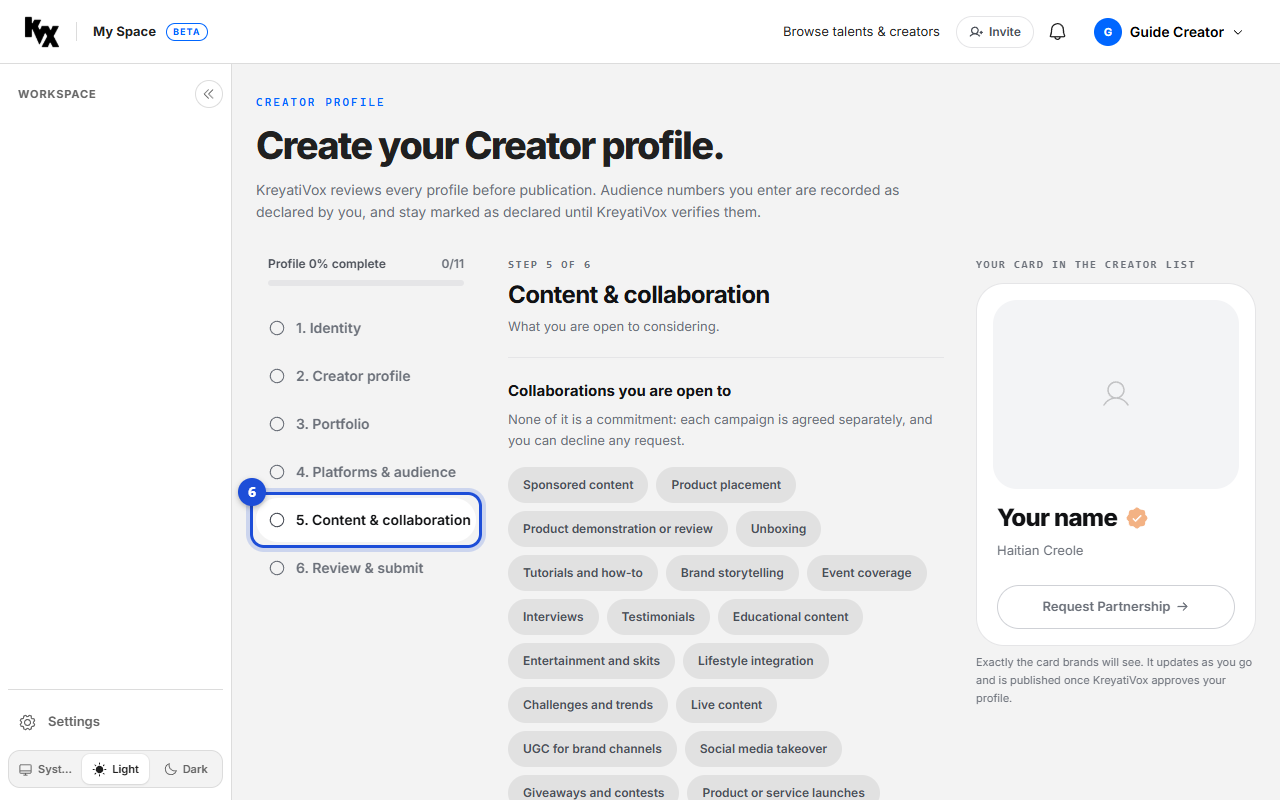
Content & collaboration
Click “5. Content & collaboration”. Say what you are open to considering.
- 7
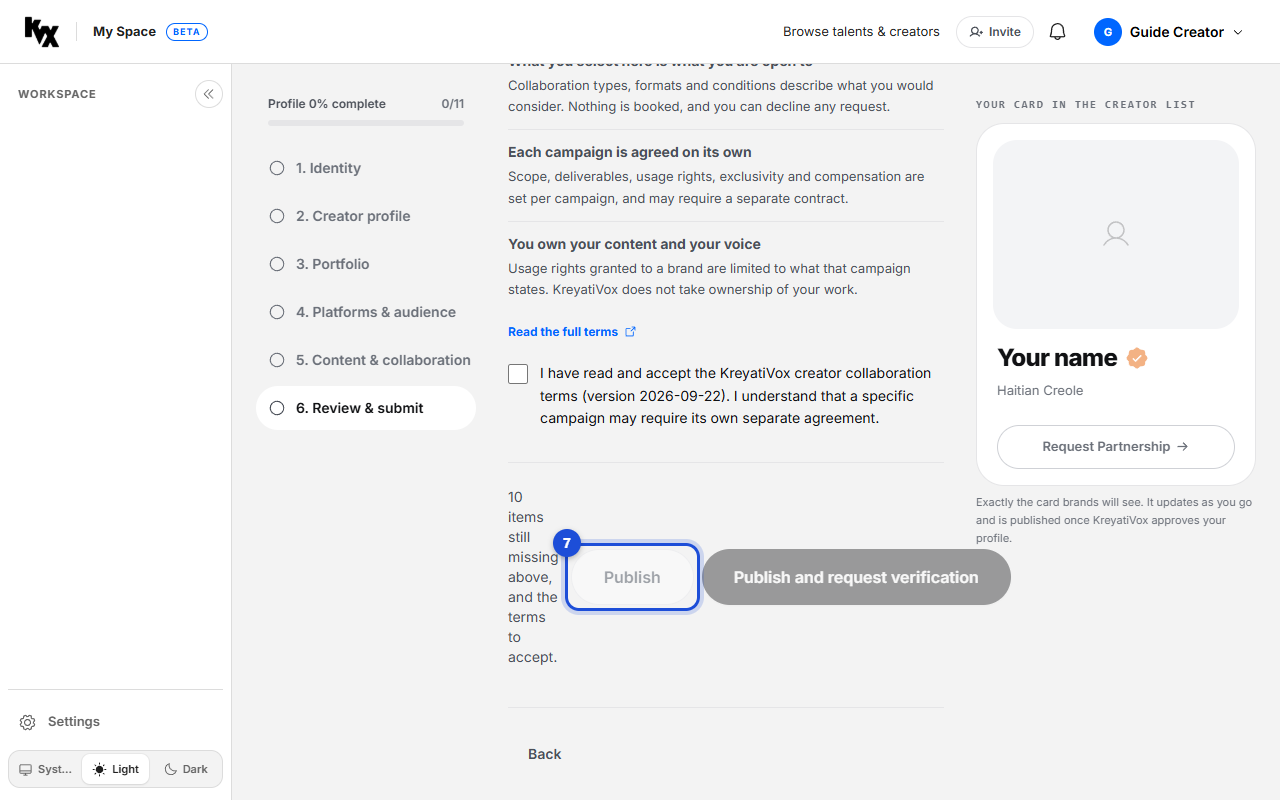
Review and publish
On “6. Review & submit”, fix what the list says is missing and accept the collaboration terms. Then click “Publish”, or “Publish and request verification” to ask KreyatiVox for your seal and Verified Creator card. Your profile goes online at once.
- 8
Share your profile
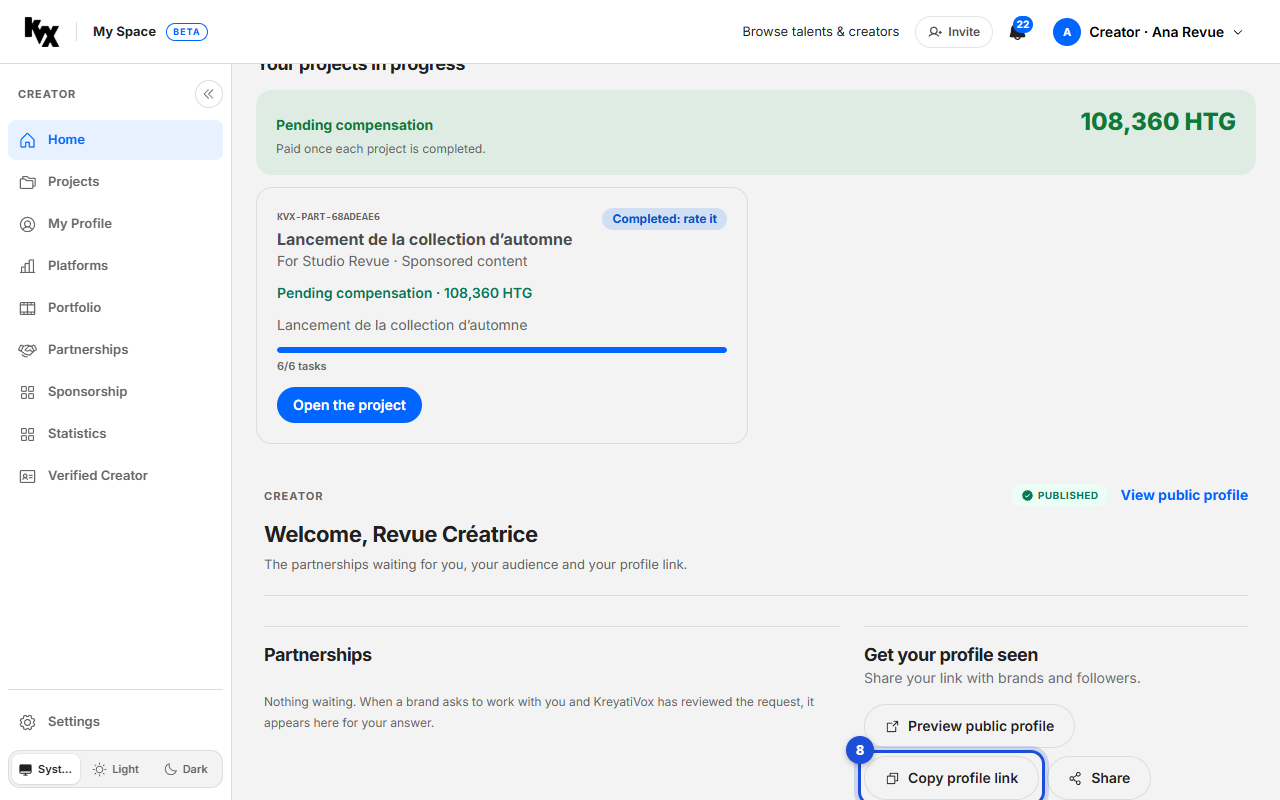
In My Space, on Home, click “Copy profile link” and send it to brands and followers. “Preview public profile” shows what they see.
- 9
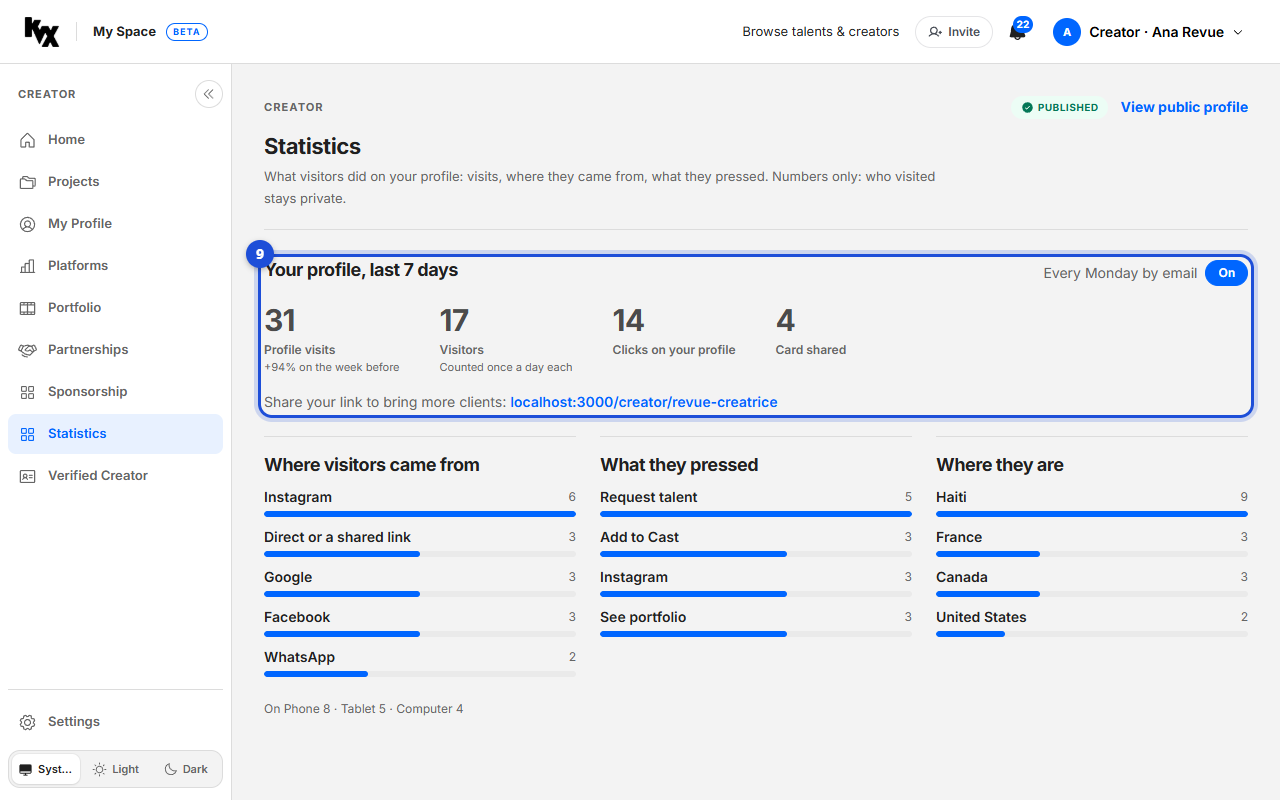
Read your statistics
Open “Statistics” in the left menu: the visits to your profile over the last seven days, where visitors came from, what they pressed and how often your card was shared. Every Monday you also receive them by email; the “On” button turns that email off.